NAVIGATION
AI Photo &amp Image Generator Superstar

Components AI: Explore Generative Design Systems Today

Discover Components AI: a revolutionary way to explore generative design systems. Create smarter, faster, and more intuitively—start innovating today.

4.5(751)
525 comments
1126 saves
Visit Website
Components AI: Explore Generative Design Systems Today - Featured on Best AI Tool
Visit Official Website

This tool saved users approximately 11801 hours last month!

Why Components AI Will Blow Your Mind

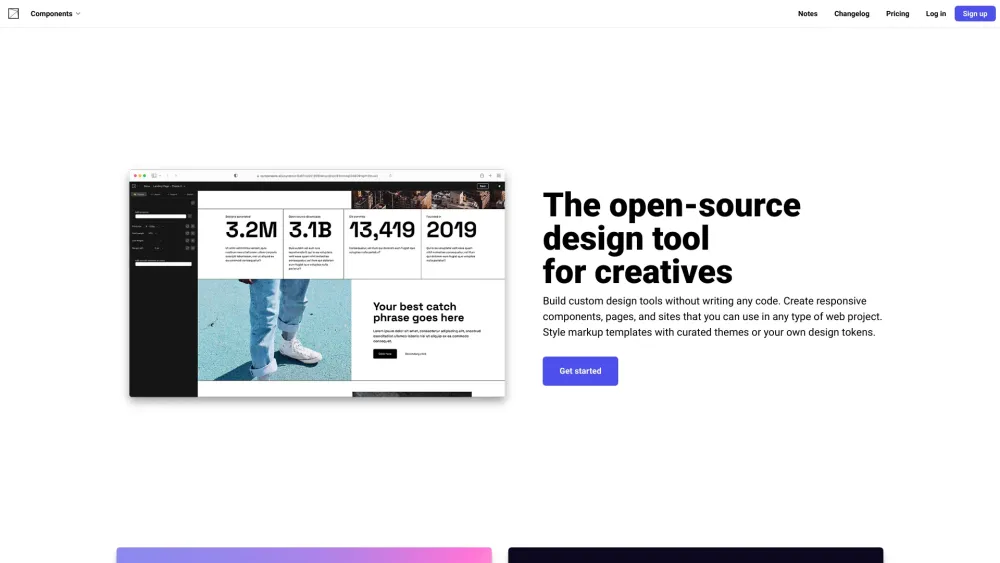
Components AI Website screenshot

Introducing Components AI

Step into the future of design with Components AI — a powerful platform that redefines how generative design systems are created, explored, and implemented. Harness intelligent automation to generate dynamic, scalable designs tailored to your brand’s unique identity.

How Does Components AI Work?

Empower your creative process without writing a single line of code. With an intuitive visual interface, craft responsive UI components, full-page layouts, and complete websites ready for any digital project. Apply custom design tokens or choose from expertly curated themes to instantly style your creations with consistency and precision.

Components AI's Magical Features

Key Features of Components AI

Design visually with AI-powered generative tools

Import or define design tokens for unified branding across all projects

Generate multiple design variations or build from scratch using smart parametric controls

Fine-tune every detail by adjusting parameters in real time

Rate generated outputs to train the system and improve future suggestions

Export your work in versatile formats: React, JSX, HTML, CSS, Sass, JSON, JS, SVG, and PNG

Share live previews instantly with teams or clients for seamless feedback and collaboration

Work within structured design systems — enforce brand rules while allowing flexible overrides

Apply your existing brand assets as constraints or starting points for generative design

Access real-time accessibility insights, including contrast ratios and compliant color pairings

Design responsively across breakpoints — control typography, spacing, and layout at every screen size

Choose from the entire Google Fonts library or use locally installed typefaces

Lead the way with full variable font support — access and manipulate custom axes for ultimate typographic control

Jumpstart your workflow with customizable, professionally designed presets

Common Use Cases

Develop no-code design utilities tailored to your workflow

Generate responsive UI elements, templates, and full websites

Create adaptive, algorithm-driven components and graphics

Rapidly explore and refine AI-generated design options

Streamline team reviews and client presentations through instant sharing

Burning Questions About Components AI

FAQ About Components AI

What is Components AI?

A next-generation platform for exploring and building with generative design systems — combining AI, design tokens, and responsive frameworks in one visual environment.

How do I get started with Components AI?

Sign up for an account, then begin creating immediately using pre-built templates or your own design system. No coding required — just drag, adjust, and export.

How much does Components AI cost?

Pricing varies based on usage and features. Visit the official pricing page to find the plan that fits your needs.

Can I use Components AI for commercial work?

Yes — all exported designs can be used freely in both personal and commercial projects.

Is Components AI compatible with other tools and frameworks?

Absolutely. Export to popular formats like React, HTML, CSS, and more to integrate smoothly into existing workflows and development environments.

Does Components AI offer customer support?

Yes — dedicated support is available via email for technical help, billing questions, or general inquiries.