NAVIGATION
AI Photo &amp Image Generator Superstar

Draw3D: Turn Sketches into Realistic Images with Free AI Magic

Turn sketches into stunning, photorealistic images instantly with Draw3D—free AI magic for artists and creators.

4.1(617)
431 comments
925 saves
Free
Visit Website
Draw3D: Turn Sketches into Realistic Images with Free AI Magic - Featured on Best AI Tool
Visit Official Website

52% of users reported increased productivity after just one week

Why Draw3D Will Blow Your Mind

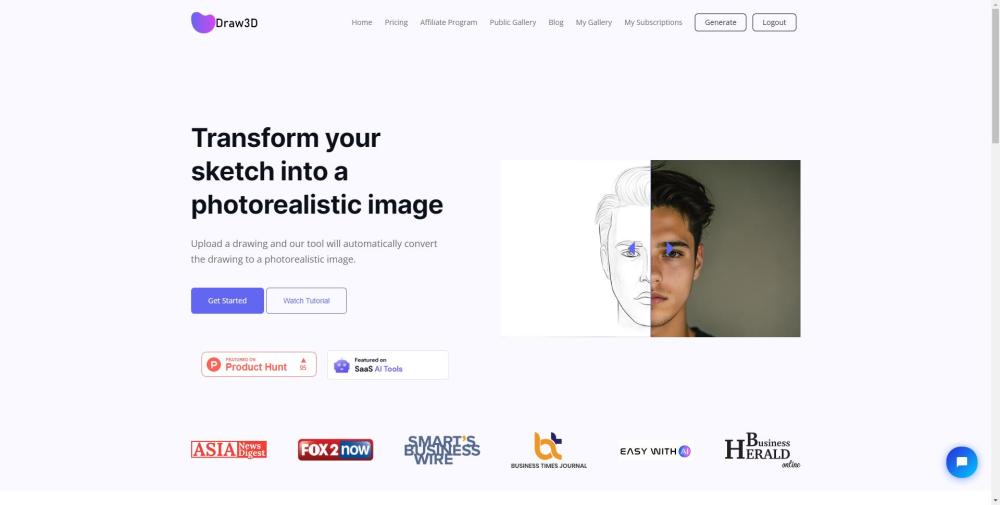
Draw3D Website screenshot

Introducing Draw3D: AI That Turns Sketches into Lifelike Images

Draw3D is a cutting-edge, free AI tool that instantly transforms hand-drawn sketches into highly realistic, detailed images. Whether you're an artist, designer, or hobbyist, Draw3D empowers you to visualize your ideas with professional-grade realism—no advanced rendering skills required.

How Does Draw3D Work?

Using Draw3D is simple and intuitive. Just upload your sketch through the web platform, and within seconds, the AI interprets your lines and shapes, converting them into a vivid, photorealistic image. Once generated, you can enhance the output by upscaling it up to 4x resolution (with 8x on the horizon) and fine-tune it using the built-in editing tools.

Draw3D's Magical Features

Key Features of Draw3D

Convert sketches into lifelike visuals

Preserve intricate details in complex scenes

Generate realistic animal portraits from doodles

Switch between sculpture models and photo renderings

Upscale images seamlessly without quality loss

Edit and refine images with an integrated editor

Who Can Benefit from Draw3D?

Developing high-fidelity concept art

Creating compelling visual content for marketing

Prototyping characters and environments for animation

Supporting 3D modeling and CAD workflows

Enhancing game development pipelines

Visualizing architectural and product designs

Generating assets for VFX and simulations

Burning Questions About Draw3D

Common Questions About Draw3D

What exactly does Draw3D do?

Draw3D uses advanced artificial intelligence to turn rough sketches into photorealistic images, helping creators visualize their concepts with stunning clarity.

How do I get started with Draw3D?

Just upload your sketch to the platform, and the AI will generate a realistic version automatically. You can then edit, resize, or upscale the result as needed.

Is Draw3D completely free?

Yes! Draw3D offers full access to its core features at no cost, making high-quality image generation accessible to everyone.

Can it handle detailed or complex drawings?

Absolutely. Draw3D excels at interpreting dense compositions and preserving fine details across large, intricate scenes.

Does it work well with animal sketches?

Yes—it accurately reconstructs facial structures and textures, turning even simple animal doodles into lifelike portraits.

Can Draw3D convert between sculptures and photos?

Yes. The tool can render sculptures as realistic photographs and reverse the process by generating sculptural interpretations from photos.

Is image upscaling supported?

Yes, you can upscale your outputs up to 4x their original size without degradation. An 8x option is currently in development.

Is there an image editor included?

Yes, Draw3D comes with a built-in image editor that lets you adjust size, apply filters, and polish your final visuals—all within the platform.