NAVIGATION
AI Photo &amp Image Generator Superstar

MetaPix: AI Photo & Video Editing, Filters, Text, Merge Clips

MetaPix: AI-powered photo & video editing. Enhance, filter, add text, trim & merge clips. Create stunning content in seconds.

4.4(865)
605 comments
1297 saves
Visit Website
MetaPix: AI Photo & Video Editing, Filters, Text, Merge Clips - Featured on Best AI Tool
Visit Official Website

Ranked in the top 7% of all AI tools in its category

Why MetaPix Will Blow Your Mind

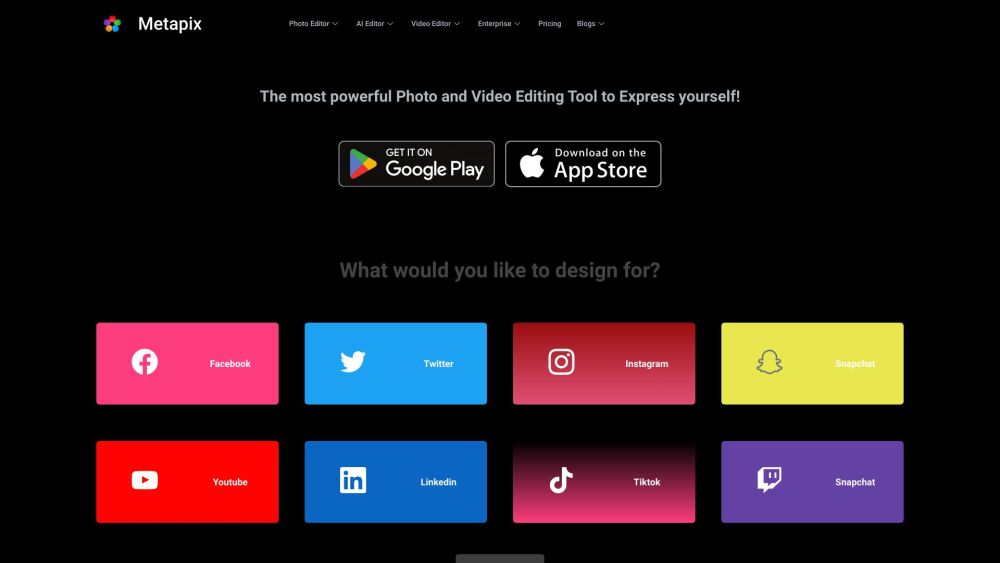
Metapix Website screenshot

Introducing MetaPix: Your All-in-One Creative Studio

MetaPix is a powerful mobile application designed for creators who want to elevate their visual storytelling. Whether you're editing photos, crafting engaging videos, or preparing content for social media, MetaPix combines intuitive tools with advanced AI technology to simplify the creative process. From intelligent enhancements to dynamic filters and seamless clip merging, it’s built to help you express your ideas with ease and precision.

How to Get Started with MetaPix

Begin by downloading the MetaPix app from the App Store or Google Play. Launch the app and select the type of media you'd like to edit—photo or video. Navigate through the user-friendly interface to access editing features such as AI-powered enhancement, filter presets, text overlays, and decorative stickers. Trim clips, merge multiple videos, or fine-tune visuals with just a few taps. When your project is complete, save it to your device or share it directly across your favorite platforms.

MetaPix's Magical Features

Key Features of MetaPix

Smart Photo Editing

AI-Powered Enhancements

Professional Video Editing

Stylish Filter Library

Custom Text & Stickers

Clip Trimming & Merging

One-Tap Auto-Optimization

Popular Use Cases for MetaPix

Social Media Content Creation

Photo Retouching & Restoration

Short Video Production

Digital Storytelling

Creative Design Projects

Burning Questions About MetaPix

MetaPix Frequently Asked Questions

What is MetaPix used for?

MetaPix is a mobile app that enables users to edit photos and videos using AI tools, filters, text, and stickers. It supports trimming, merging clips, and one-click enhancements, making it ideal for creating polished content quickly.

How do I start using MetaPix?

Simply download the app, open it, and choose your media. Use the available tools to edit and enhance your images or videos, then save or share your creation with minimal effort.

What types of media can I edit?

MetaPix supports both photo and video editing, offering a comprehensive suite of tools for all your digital content needs.

Does MetaPix use artificial intelligence?

Yes, MetaPix integrates AI technology to automatically improve photo quality, adjust lighting, reduce noise, and enhance details with minimal input from the user.

Can I apply filters to my content?

Absolutely! MetaPix offers a wide selection of artistic and aesthetic filters for both photos and videos to match any mood or theme.

Is MetaPix available on desktop or only mobile?

Currently, MetaPix is optimized for mobile devices and is available on both iOS and Android platforms.

Can I share my creations directly from the app?

Yes, MetaPix includes direct sharing options so you can post your edited photos and videos instantly to social networks like Instagram, TikTok, and more.