NAVIGATION
AI Photo &amp Image Generator Superstar

Muse Pro: AI-Powered Sketching & Painting, Effortless Creativity

Muse Pro: The ultimate AI-powered sketching & painting app—turn inspiration into art, effortlessly. Creativity reimagined.

4.7(194)
135 comments
291 saves
Visit Website
Muse Pro: AI-Powered Sketching & Painting, Effortless Creativity - Featured on Best AI Tool
Visit Official Website

62% of users reported increased productivity after just one week

Why Muse Pro Will Blow Your Mind

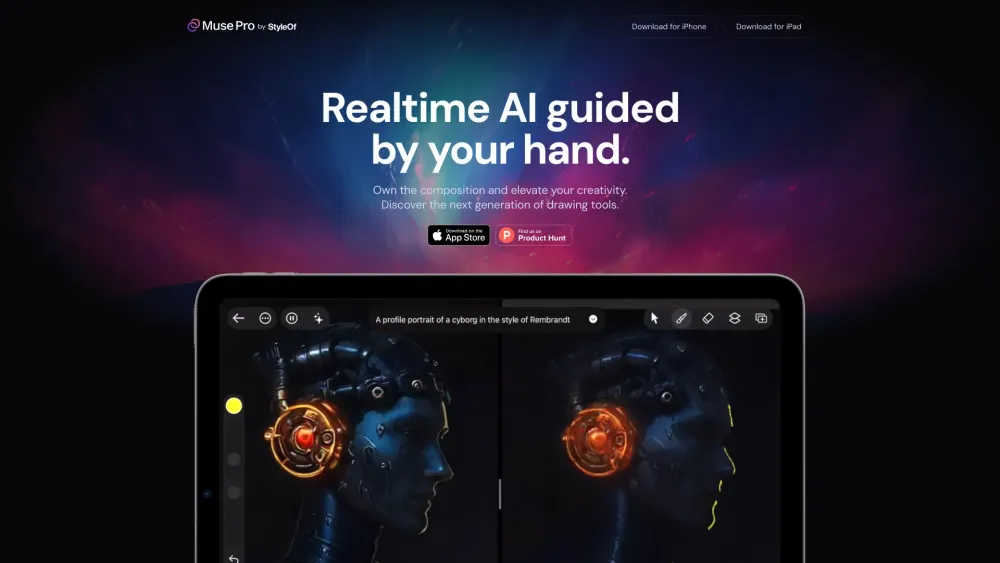
Muse Pro Website screenshot

Introducing Muse Pro

Your next-generation creative companion, Muse Pro combines the power of artificial intelligence with fluid digital artistry to redefine how you sketch, paint, and imagine.

How It Works

Sketch freely with responsive, lag-free strokes while AI enhances your lines in real time. Instantly refine rough concepts into polished artwork, upscale details seamlessly, and bring visions to life with precision—all from your iPad, anytime, anywhere.

Muse Pro's Magical Features

Key Features of Muse Pro

Smart Real-Time Canvas

AI-Driven Image Enhancement

User-Friendly Interface

Multi-Layer Editing

Customizable Brush Engine

Creative Applications

Develop expressive digital illustrations

Craft professional concept designs

Apply lifelike enhancements to photos

Burning Questions About Muse Pro

FAQ About Muse Pro

What makes Muse Pro different?

Muse Pro integrates advanced AI tools directly into a streamlined painting environment, offering real-time assistance, intelligent upscaling, and adaptive brush behavior for a truly next-gen art experience.

How do I get started with Muse Pro?

Simply open the app, choose a canvas, and begin drawing. Use guided workflows and smart tools to elevate your work instantly—no learning curve required.

Is Muse Pro compatible with other devices?

Muse Pro is currently optimized exclusively for iPad, ensuring peak performance and touch responsiveness.

Can I export my artworks in different file formats?

Yes, Muse Pro allows exporting in multiple formats including JPEG, PNG, and PSD, making it easy to share or continue editing in other software.

Are there any tutorials available for beginners?

Absolutely! Muse Pro offers step-by-step guides and interactive lessons tailored for artists at every level—from novice to pro.