NAVIGATION
AI Photo &amp Image Generator Superstar

Vimmerse: Turn Photos into 3D Motion Videos with Parallax

Vimmerse turns photos into stunning 3D motion videos with lifelike parallax—effortlessly bring still images to life!

4.2(968)
677 comments
1452 saves
Visit Website
Vimmerse: Turn Photos into 3D Motion Videos with Parallax - Featured on Best AI Tool
Visit Official Website

Users create an average of 26 projects per month with this tool

Why Vimmerse Will Blow Your Mind

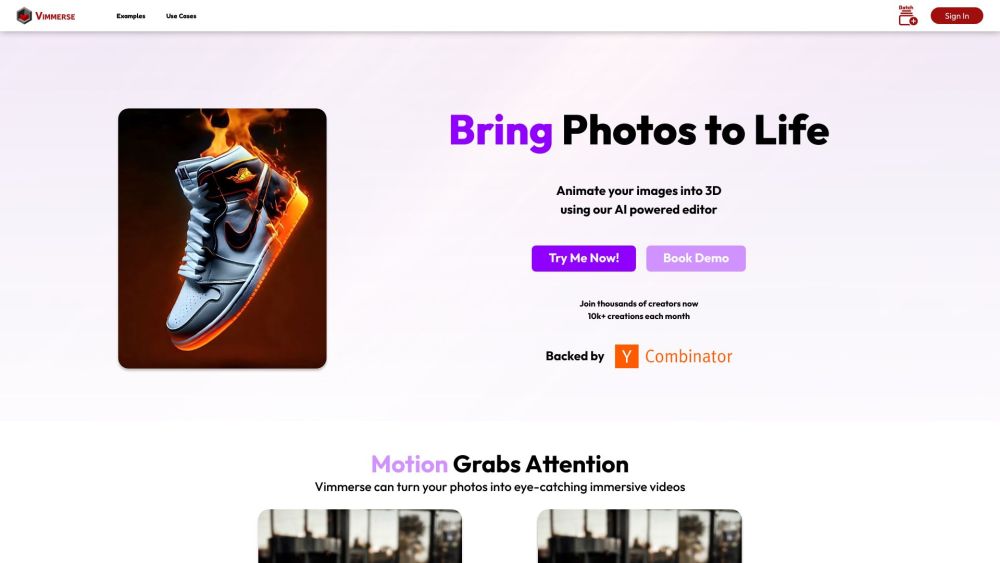
Vimmerse Website screenshot

What Is Vimmerse?

Vimmerse is an intelligent 3D visual storytelling platform that breathes life into still images—converting ordinary photos into captivating 3D motion videos powered by dynamic parallax depth effects. Leveraging cutting-edge generative AI, it simulates realistic camera movement and layered depth perception, transforming flat visuals into immersive, scroll-ready experiences.

How to Create with Vimmerse

Getting started takes seconds:

  1. Create or log in to your Vimmerse account.
  2. Upload one or more high-resolution photos (JPG, PNG, or WEBP).
  3. Let the AI auto-generate a depth map—or manually refine foreground/background separation.
  4. Adjust parallax intensity, motion direction, duration, and zoom behavior using intuitive sliders.
  5. Preview in real time, then export as a polished MP4 or animated GIF—ready for web, ads, or social feeds.

Vimmerse's Magical Features

Why Creators Choose Vimmerse

One-Click Photo-to-3D Motion Conversion

Realistic Parallax Depth Simulation

Smart AI Editor with Depth Mapping & Background Removal

Where Vimmerse Makes an Impact

Elevate Social Media Engagement

Boost E-commerce Product Visualization

Power Creative Campaigns with AI-Animated Assets

Burning Questions About Vimmerse

Common Questions About Vimmerse

What exactly does Vimmerse do?

It transforms static 2D photos into dynamic 3D motion videos using AI-driven depth estimation and cinematic parallax—no 3D modeling skills required.

How do I get started?

Just sign in → upload your image → fine-tune parallax settings → render and download. The entire workflow is browser-based and requires no software installation.

Which output formats are available?

You can download your animated result as MP4 (ideal for quality and compatibility) or GIF (perfect for lightweight sharing and messaging platforms).

Does Vimmerse support transparent backgrounds?

Yes—its built-in background removal tool enables clean cutouts and transparent-layer exports, ideal for overlays, presentations, and AR integrations.

Can I animate multiple images at once?

Absolutely. Vimmerse supports batch processing of up to 100+ images in a single session—ideal for agencies, marketers, and content teams scaling visual production.